
01 · Discover
One inventory across clients.
Map declared MCP servers across supported global configurations and the project roots you choose. Follow each record back to its client and source file.
Raksha Scan · Local MCP discovery
Discover configured MCP servers, trace them to their clients and source files, and review configuration issues in one offline report.
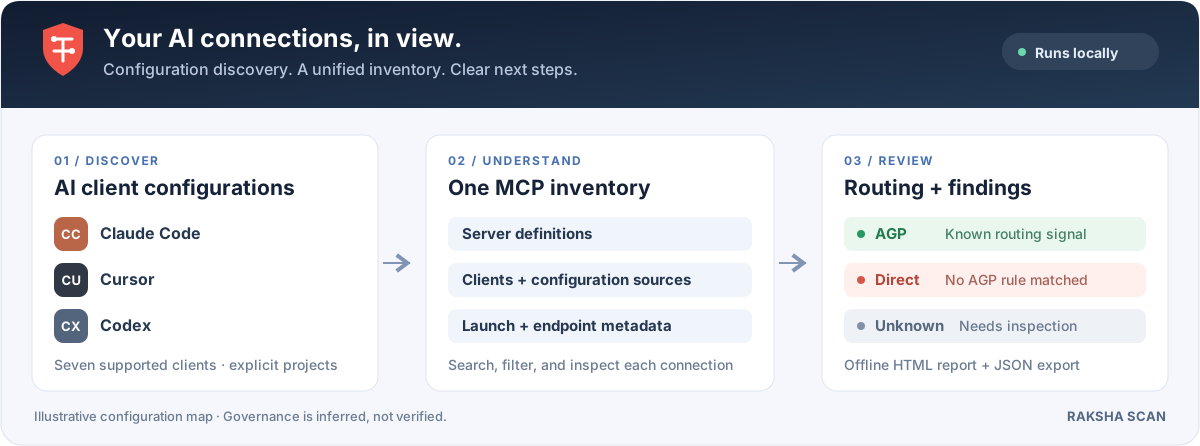
From scattered files to a clear inventory
As clients and projects multiply, MCP declarations spread across files. Raksha Scan brings supported configurations together so you can see what is there and decide what needs attention.
01 · Discover
Map declared MCP servers across supported global configurations and the project roots you choose. Follow each record back to its client and source file.
02 · Understand
Review transport, package pinning, sanitized launch details, and environment or header key names. Search and filter by client, transport, routing indicator, or review status.
03 · Review
Spot floating package versions, credential-like key names, plaintext HTTP endpoints, and incomplete definitions. Inspect the evidence behind each observation.
Inside the report
A self-contained HTML dashboard gives you the overview and the details. A versioned JSON export makes the same inventory available to your own tooling.
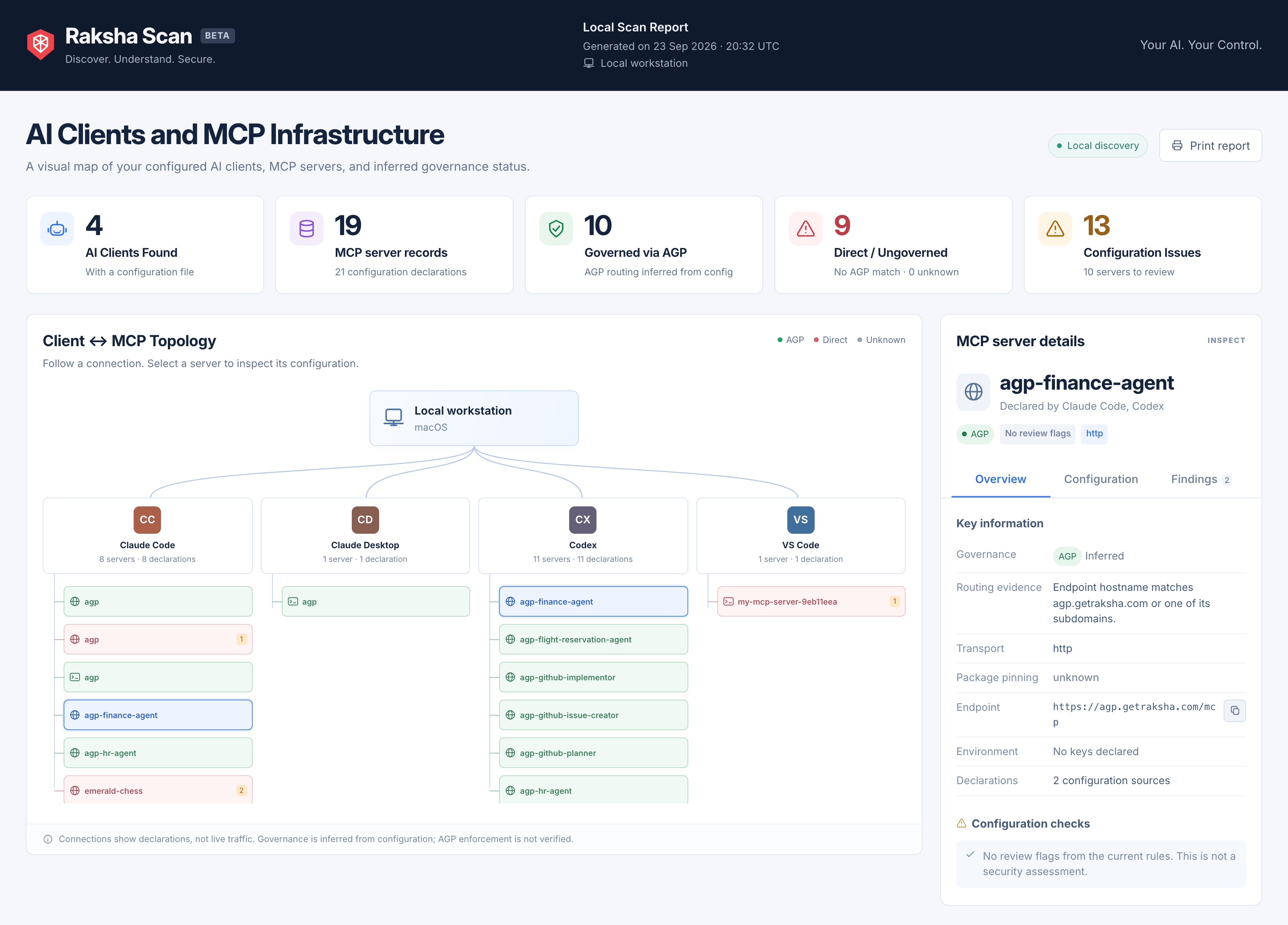
See configured clients, MCP server records, and routing indicators in one local report.
Open full size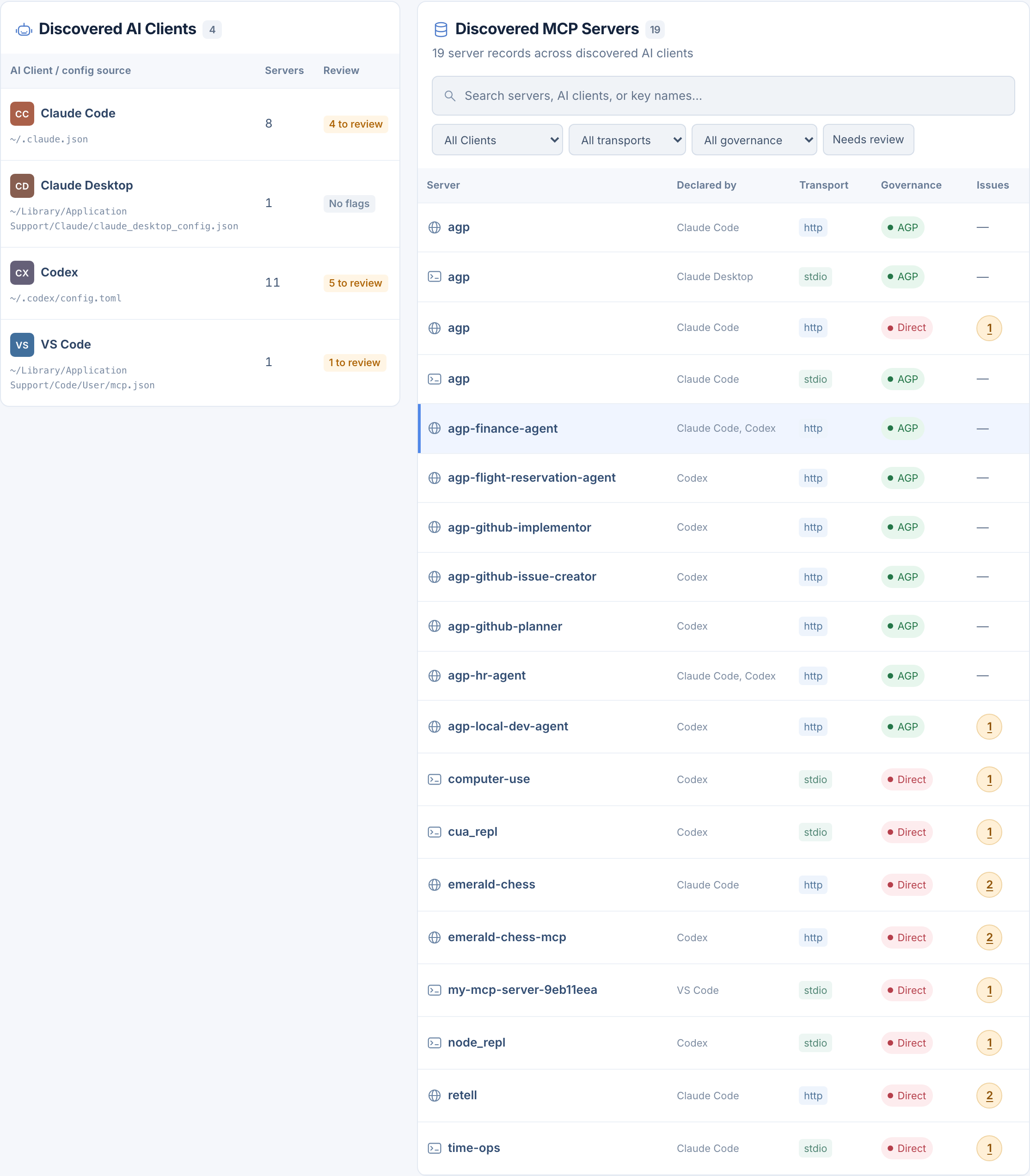
Compare source clients, transports, inferred routing, and configuration issue counts.
Open full size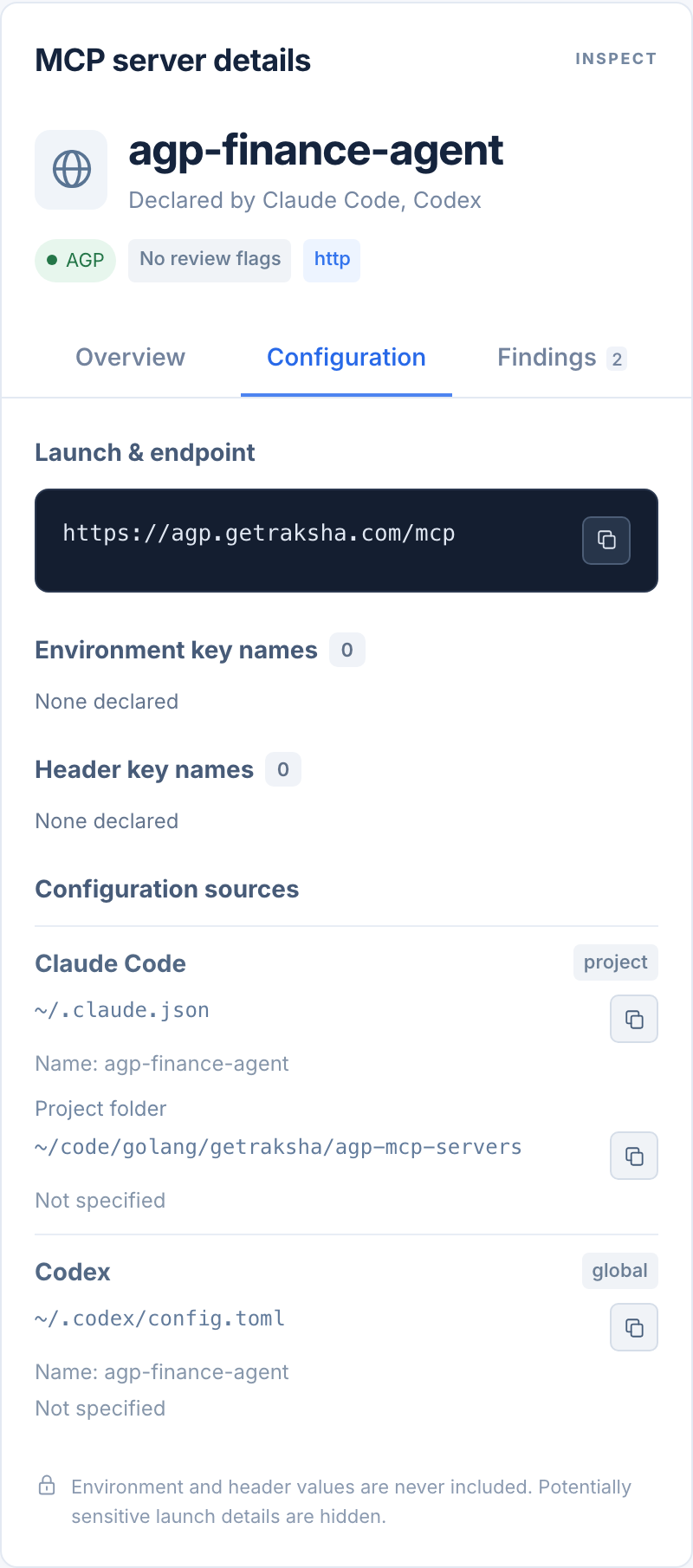
Trace a shared connection to its endpoint and declarations in Claude Code and Codex.
Open full sizeAcross your AI tools
Discover supported macOS configuration locations and include the project roots you want to inspect.
Discover global configurations across these clients. Project discovery is also available for Claude Code, Cursor, Codex, VS Code, and Zed. The report includes coverage counts and diagnostics for checked locations.
See exact paths and discovery limitsBuilt for local inspection
The scanner reads supported configurations and writes its own reports. No account, upload, telemetry, or background service.
Raksha Scan never launches configured commands, probes endpoints, or performs DNS lookups. Discovery is based on the configuration files it can read.
The HTML includes its own font, styles, and interaction code. Open it locally, explore the inventory, or use its print view without loading external assets.
Environment and header values are discarded. Potentially sensitive launch arguments and URL credentials, queries, fragments, and nonstandard paths are hidden.
Reports retain inventory metadata such as device and server names, endpoint hosts, and shortened paths. Review real reports before sharing; use the synthetic demo for public examples.
Get started
A single Go binary. No backend to deploy.
Build from source on macOS with Go 1.26 or newer and make. The scanner writes HTML and JSON to raksha-scan-report/.
Go may download its toolchain and dependencies during the build. The built scanner runs locally.
git clone https://github.com/getraksha/raksha-scan.git
cd raksha-scan
make build
./bin/raksha-scan
open raksha-scan-report/report.html./bin/raksha-scan --project ~/code/my-appFrom discovery to governance
Raksha Scan helps you understand configured connections. AGP provides runtime controls for the MCP traffic you route through it.
Apply policy decisions, human approvals, credential custody, and audit records where your agent actions need governance.